One key. The right sound. Even with your game in front.
SoundPunch puts your sound effects and music on pads and plays each one with a single key. Built for streams, singing streams, audio dramas and live events.
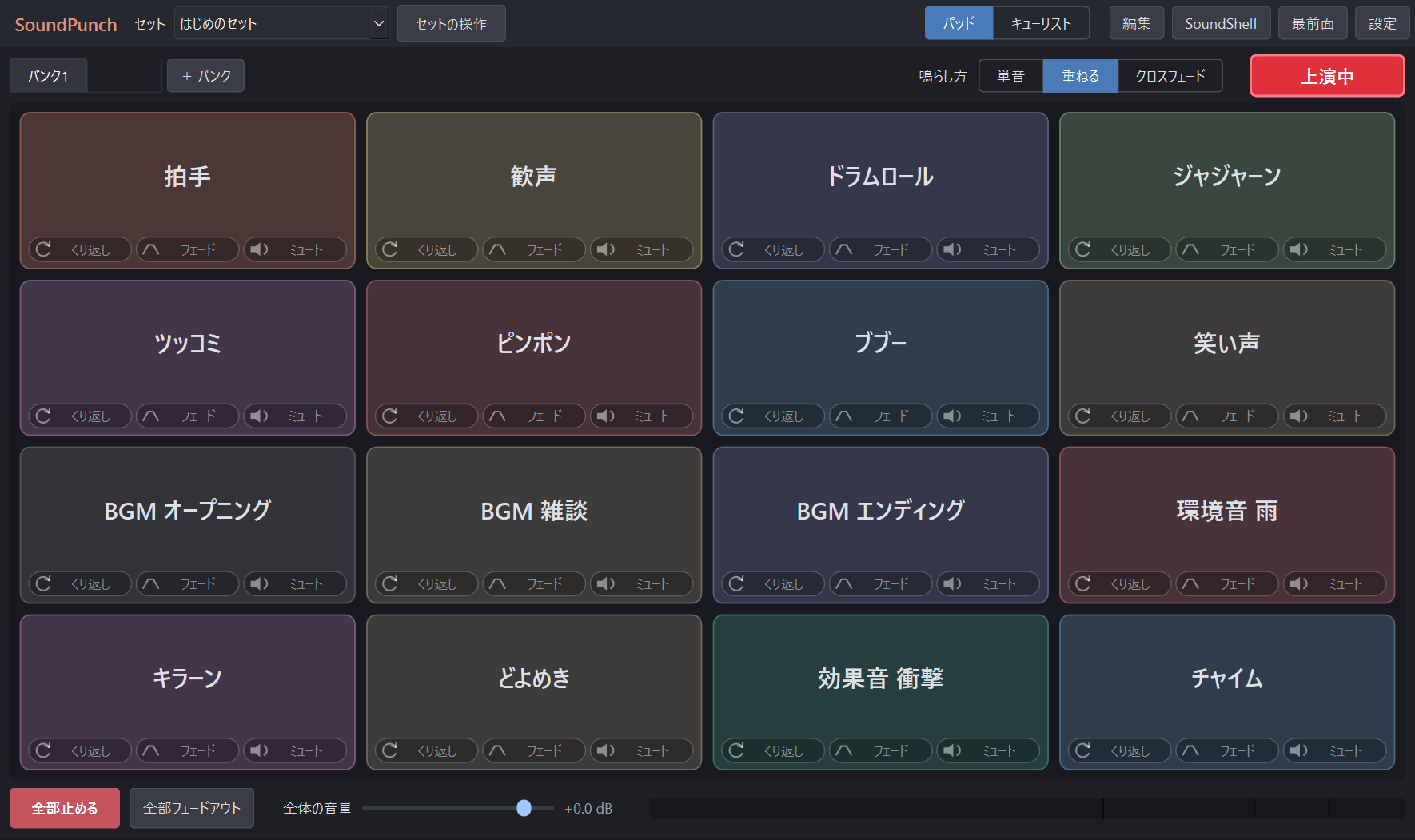
Play from pads
Drag, drop, done
Drop audio files onto the pads. Drop a whole folder and they fill the empty pads in order.
A hotkey per pad
Choose how each key behaves: restart, layer, toggle play and stop, or play only while held.
Volume on the wheel
Scroll over a pad to change only that sound, in 1 dB steps (0.1 dB with Shift).
Trim without editing files
Set start and end points on the waveform. Your original files are never changed.
Automatic ducking
Background music dips while a sound effect plays, then comes back.
Banks and sets
Keep a set for singing streams and another for gaming, and switch the whole board at once.
Run a show from a cue list
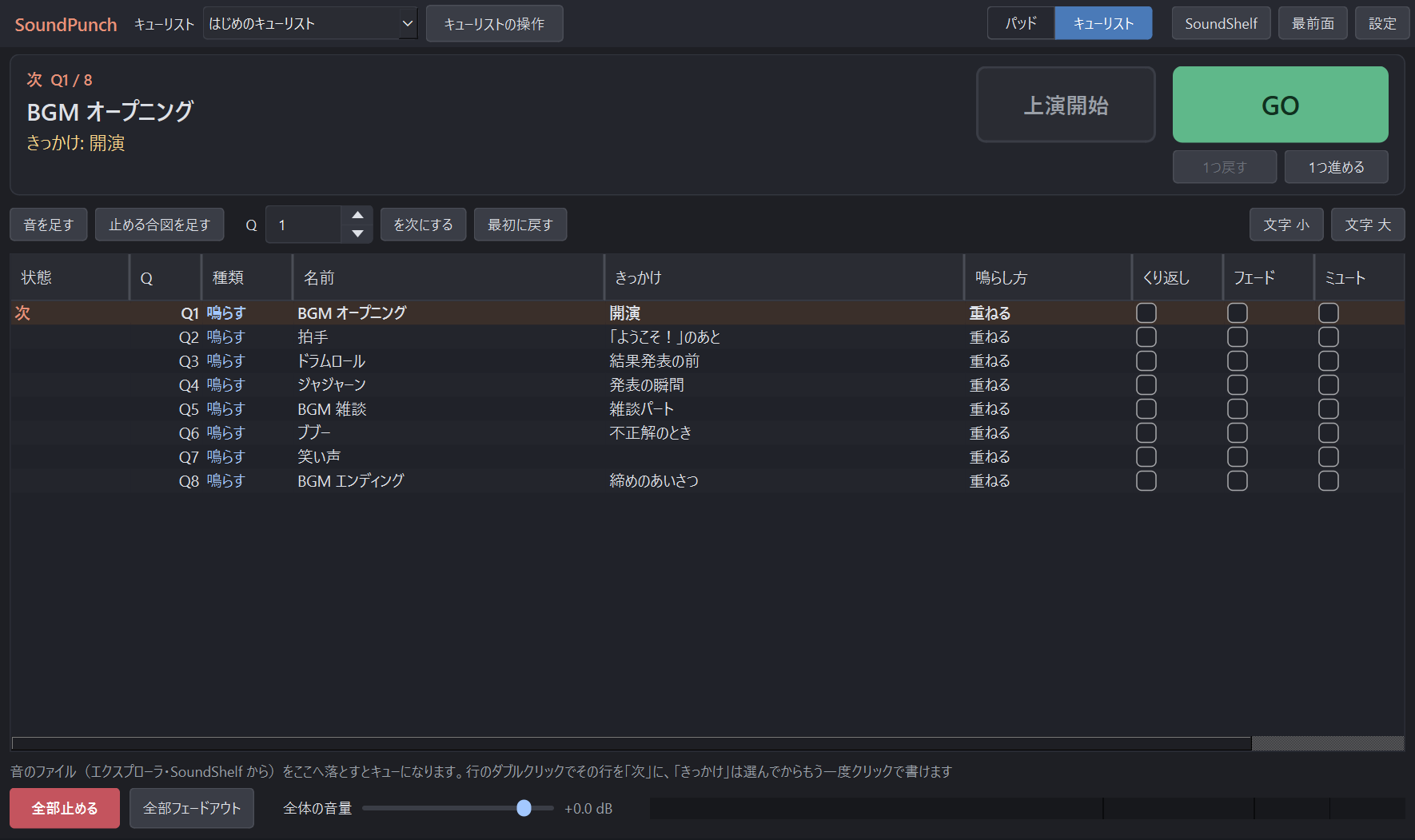
For audio dramas, readings and events: line up sounds in script order and press GO for the next one. It never advances on its own.
Step back, jump in
Went one too far? Go back one. Restart from any cue by number or double-click.
Read your cue line
Write the line that triggers each sound and it shows in large type next to what plays next.
Safe against double presses
Hammering GO won't skip a cue. Stop cues can fade the music out.
Built not to break your stream
Keys work only while you're live
Press Live and your hotkeys fire over any app. Off live, your keyboard is left alone for chat and search.
An emergency stop that always works
Stop all and Fade out all respond any time, live or not (Pause / Shift+Pause).
No keyboard hook
Hotkeys use Windows' official registration, not a low-level keyboard hook that anti-cheat tools watch for.
Leaves your audio gear alone
Plays through standard Windows shared audio (WASAPI). No ASIO, no exclusive mode, so your DAW and audio interface keep working.
Instant playback
Sounds are preloaded, with a limiter and level meter to stop clipping.
Works with OBS
Picked up by Desktop Audio, or capture SoundPunch alone with Application Audio Capture to mix it separately.
What it doesn't do
SoundPunch has no virtual microphone, so it can't play sounds into a Discord or Zoom call. That would need a virtual audio driver, which can interfere with other audio gear. For streams, OBS picks it up through Desktop Audio.
Requirements
| System | Windows 10 or 11, 64-bit |
|---|---|
| Formats | WAV, FLAC, OGG, MP3, M4A, AAC, WMA and more |
| Install | No administrator rights needed. Nothing else to install. |
| Privacy | Runs fully offline. Sends nothing to the internet. |
| Languages | English and Japanese |
Questions or bugs
Write to contact@magnusworks.co. We read every message. See Support for what to include in a bug report.